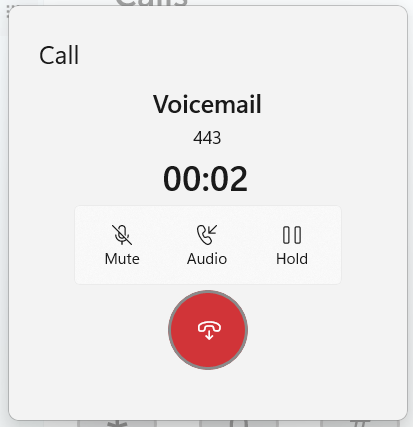
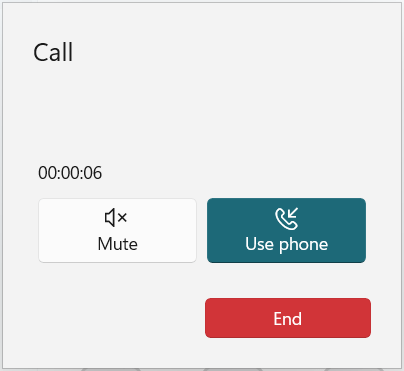
I finished the week off with another update to Thy Phone. This adds a new call progress dialog with features which didn’t make it into the last update along with a new Fluent design.
Fluent Design: Rounded corners, a bigger rounded end call button. Improved display of caller name (when available), number and duration counter.
New: New toggle to allow you to put calls on hold and resume them.
New: While there isn’t yet an on-screen keypad during calls you can now use your keyboard to send DTMF tones (0-9, * and #) to navigate menus during calls. This doesn’t currently play the tone on your PC, unlike Phone Link and Skype, but I’m working on this.
Today I’ve released an update to Thy Phone for Windows 11 which adds a community requested feature and implements a couple of bug fixes. Version 1.1.1002 will be available in the store soon.
New: You can now hang up a call by using the Ctrl-Alt-H keyboard shortcut. For simplicity, I chose this combination because it’s the same as used in Teams to end a call. You can also toggle the mute status of a call by using Alt-M.
Fixed: Answering or rejecting an incoming call from the toast notification should now always work so you don’t have to reach for your phone to do this.
Fixed: Outgoing calls will no longer generate a toast notification.
Minor: I’ve made a few minor UI tweaks. One of these was to change the Answer/ End Call accent colours to the same Green and Red colours used in other apps including Microsoft Teams and Occupied.
One of the challenges with 32feet.NET is to try to provide as consistent an experience as possible on multiple platforms even though the underlying implementation varies wildly. One such case is with Bluetooth Classic and the stream used to read and write data over an RFCOMM connection.
As it turns out each platform has its own way of implementing these connections, either using Berkeley sockets (Win32 and Linux), BluetoothSocket (Android), ExternalAccessory framework (iOS) or IOBluetooth (macOS). Because there is a level of abstraction even within these native APIs (not including anything 32feet is doing to hide the implementation) what you get when you want to just write to a stream is not at all the same.
One place this becomes clear is when writing an app to talk between multiple platforms e.g. Windows and Android because it soon becomes clear that you’re writing data and not seeing it on the remote device. This is because on Windows the stream is internally buffered and so simply writing data to it doesn’t actually send it over the air to the other device. Either you have to hit a specific buffer level where it will have to send it, or you must call Flush (or FlushAsync) to ensure the buffer is emptied. This doesn’t necessarily mean that you should call flush with each write to the stream, but if you are building a packet containing a chunk of data you probably want to ensure this is flushed so that the receiving device can process it together.
Trial and error shows that the Android side of things doesn’t do this and a write is a write. However, knowing what we know about all the many versions and flavours of Android OS it’s probably best not to assume this is always the case. If the stream has no buffer, or the buffer is already empty then a well placed Flush will not have a measurable impact. Therefore I recommend always adding code to flush data, regardless of what platforms you intend to support so you can ensure it will behave consistently across any platform.
A month on from its original release, I’ve made a number of significant changes to improve the usability of the app.
Firstly the app is now a system-wide AAC tool, not just for phone calls but using local audio to conduct conversations in-person.
Secondly, I’ve added the ability to select the voice you use with Thy Voice. This is significant because you may wish to use a different voice when you are talking than when your PC is talking to you. I’m still looking into whether there is any chance we can use the Natural voices which are available with Narrator but don’t currently show up in the system for other apps using speech synthesis.
Finally, to emphasise its wider uses, the app has a new icon and a few other visual tweaks.
You can get the app through the Microsoft Store. I’m always interested in further feedback on how to make the app easier, and useful for as many users as possible.
I was recently looking at migrating some code from Xamarin Forms to Uno Platform and one of the big changes when moving from Xamarin Forms to .NET 6 and later is a move towards using Microsoft.Extensions.DependencyInjection on all flavours of .NET. The key difference between this approach and DependencyService is that you have one shot to add your dependencies at the beginning of your app’s lifecycle. The DependencyService was more flexible as you could add registrations at any time before instantiating them. This makes it handy for apps which dynamically load optional areas of functionality.
I therefore took the Xamarin code and updated it and built it for .NET 6.0 so it will run on any .NET flavour with no dependencies. I removed a bunch of functionality related to handling Renderers since that was a very specific use-case and instead added support for any constructor parameters for already registered types. This allows you to pass services into your view models with no messy code. The only requirement is that your class has a single constructor, and all the types passed in as parameters have already been registered with DependencyService prior to calling Get<T>().
The result is a small NuGet package and the source is hosted on GitHub. Now, of course, this is not going to be the best approach for everyone but it provides another option when migrating from Xamarin Forms and it’s good to have choices when migrating legacy code.
Sometimes it takes a while to realise that an API is lying to you. When implementing Bluetooth Classic support for Linux on .NET 6.0 and above I came to this realisation after going directly to the native API.
System.Net.Sockets has been available since the beginning of .NET. Traditionally this was a wrapper over the WinSock API which called into the same Win32 APIs you would use from C++, but providing an object-oriented API and throwing typed exceptions for native error codes. To use Bluetooth sockets on Windows or Linux you create a Socket with a specific AddressFamily. The Bluetooth address families have never been defined in .NET but 32feet.NET has provided implementations of these constants and classes to allow you to use Sockets for Bluetooth Rfcomm connections. The values and structures differ depending on platform and the library was able to hide those details from the consuming code.
Creating a Socket with AF_BLUETOOTH on Linux would throw an exception indicating the address family was not supported. This seemed wrong as the BlueZ API is present on the device (in this case a Raspberry Pi running Raspberry Pi OS). So the first step was to talk to the organ grinder rather than the monkey – P/Invoking into the socket API in libc would give the true answer. Lo and behold the function returned a valid socket handle, not an error code.
This is where we get to reinventing the wheel. I first encountered a similar issue when getting the library to work on Mono on Windows – to support Unity based projects. It terms out that the Mono Socket was similarly hobbled and I could get around this limitation by recreating the entire Socket class with the underlying Win32 API calls. Having had that eureka moment I was able to reuse the basics of that implementation (The Win32Socket in 32feet.NET) with a new LinuxSocket class. Because Windows Sockets is based on the same Berkeley Sockets model that Unix uses the APIs are more or less identical except for the library name. Therefore it didn’t take too long to implement a working BluetoothClient. I haven’t worked on the BluetoothListener for Linux yet, but I don’t imagine it too be too difficult after having learned all of the above via a lot of trial and error and slow remote debugging!
Next Steps
I’m now going to complete the testing and add the Listener support. In the future I hope that the .NET Socket support is improved to remove the current limitation. I would expect the API to accept any Address Family and pass any errors through in the standard way rather than being limited to a subset of address families.
I’m not proposing that Microsoft adds any Bluetooth support into the the framework itself, but it should allow others to access available functionality through the underlying APIs, in the same way that we can on Windows. There is an open issue in the .NET Runtime tracking this, which I will be keeping an eye on.
If there are specific features you’d like to see added to the library or you have an issue integrating a particular device please do get in touch. All of this development work is just me working in my spare time, so if you can support the project through GitHub Sponsors or OpenCollective that would be awesome. I can also provide formal support arrangements or custom development, contact me for details.
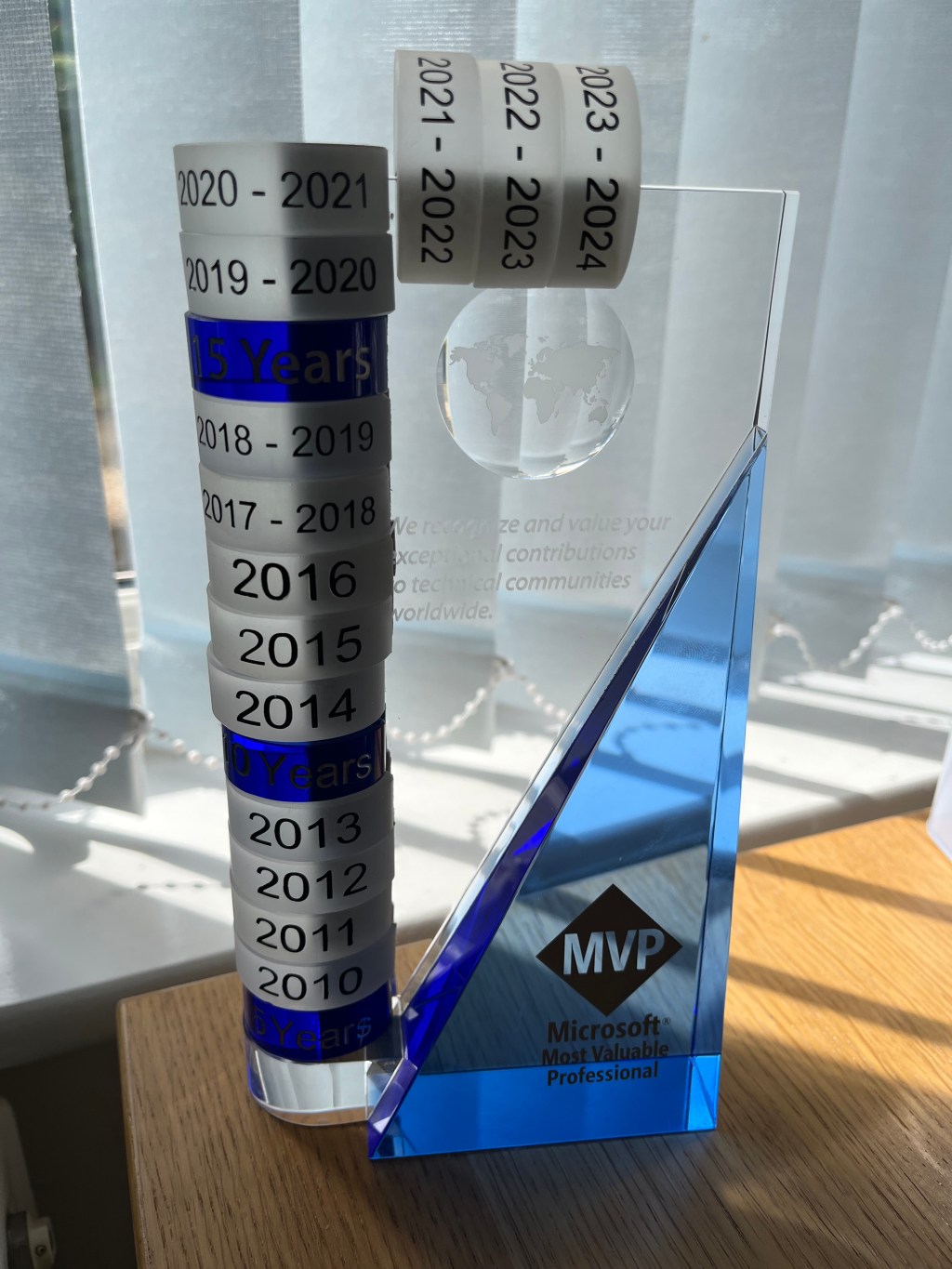
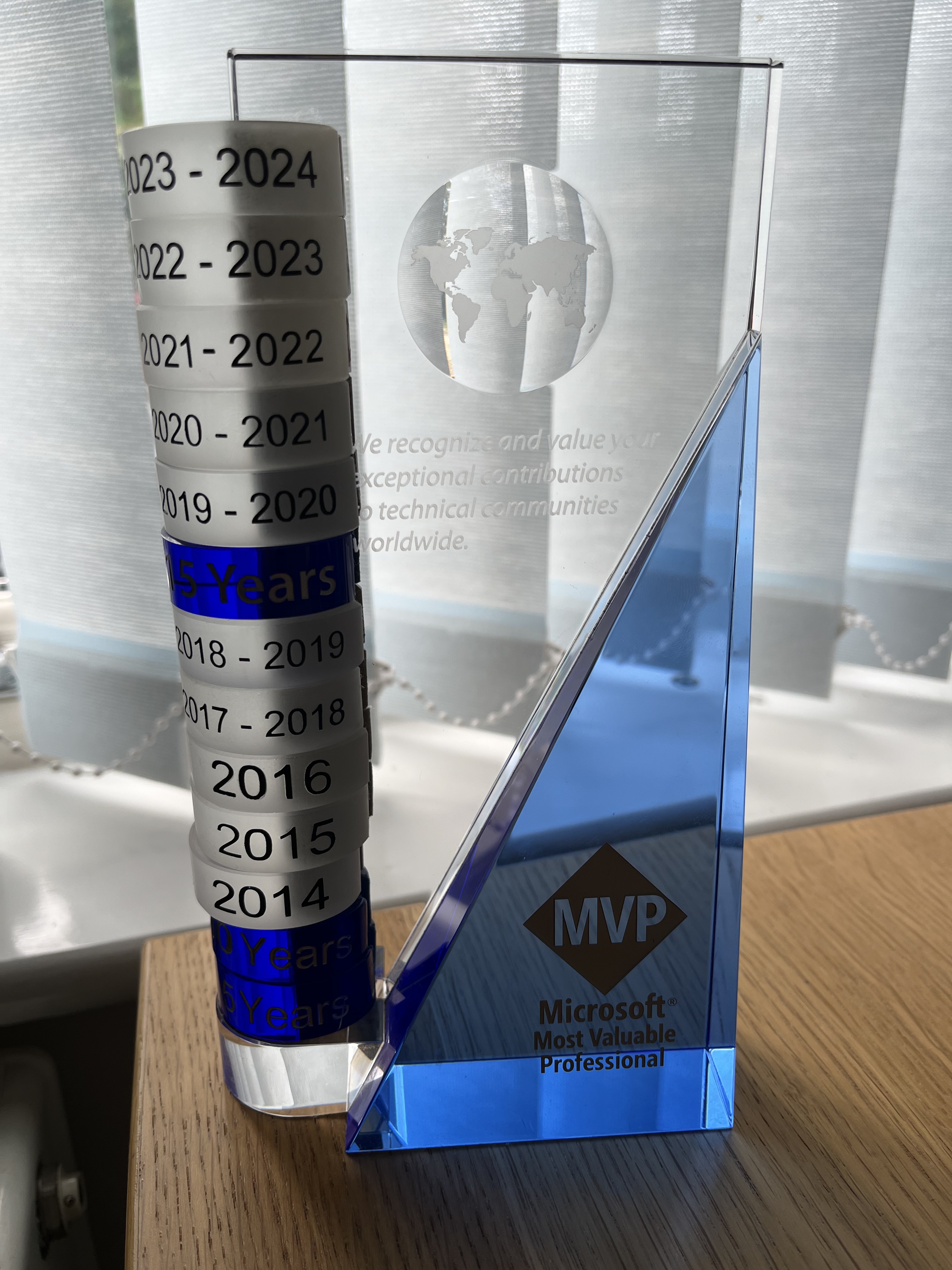
I was very honoured to receive the MVP award in July, marking my 20th year. Today I was reminded again as I received the glass disc for this award year. It’s something small but means an awful lot when I add it to the stack and reflect on this milestone. We’ve seen a lot of change, this glass trophy and I.
As I polished it ready for a photo, I was reminded of the small scratch on the front near the MVP logo. Luckily it’s so small you probably can’t tell in the photo. This was where it toppled over during the Christchurch earthquake in 2011. I’m still amazed that it didn’t break given everything else that did.
We have made it half way around the world and back, and from the simple days of .NET Compact Framework and Windows CE through to a much bigger .NET ecosystem across diverse platforms and development frameworks.
I’ve had to start implementing a compression algorithm to make it look neater!
(Yes for some reason the 2014 disc has a slightly different shape notch so sticks out a bit!)
Last week I had the opportunity to go on a Hidden London tour of Charing Cross Underground Station. These are organised tours for small group to explore parts of the underground network we tend not to think about. It’s a fascinating look into how areas are repurposed as the network continuously evolves.
The original Jubilee Line route prior to the 1990s extension.
The first stop was through an unassuming door into an escalator shaft to the Jubilee Line. The line originally terminated at Charing Cross but when it was extended in the 1990s to serve the redeveloped Docklands it was redirected so trains no longer stop at Charing Cross. Unless due to an error a busy train is sent the wrong way leading to lots of confused passengers!
The track is still permanently electrified, and the station can be used as a siding to park extra trains during busy events. It also provides a perfect space for Transport for London to test out new features before using them in “live” stations. Because it’s still a fully working platform it also provides a realistic space for training staff and emergency services. Finally, it’s also made appearances in several films, including Skyfall and Thor: The Dark World. Unfortunately, due to a blunder in the latter where Thor is told that it is two stops from Charing Cross to Greenwich the credibility of the film is ruined. Honestly, I’m not even sure if we can believe that a Norse god would be travelling around London in the first place!
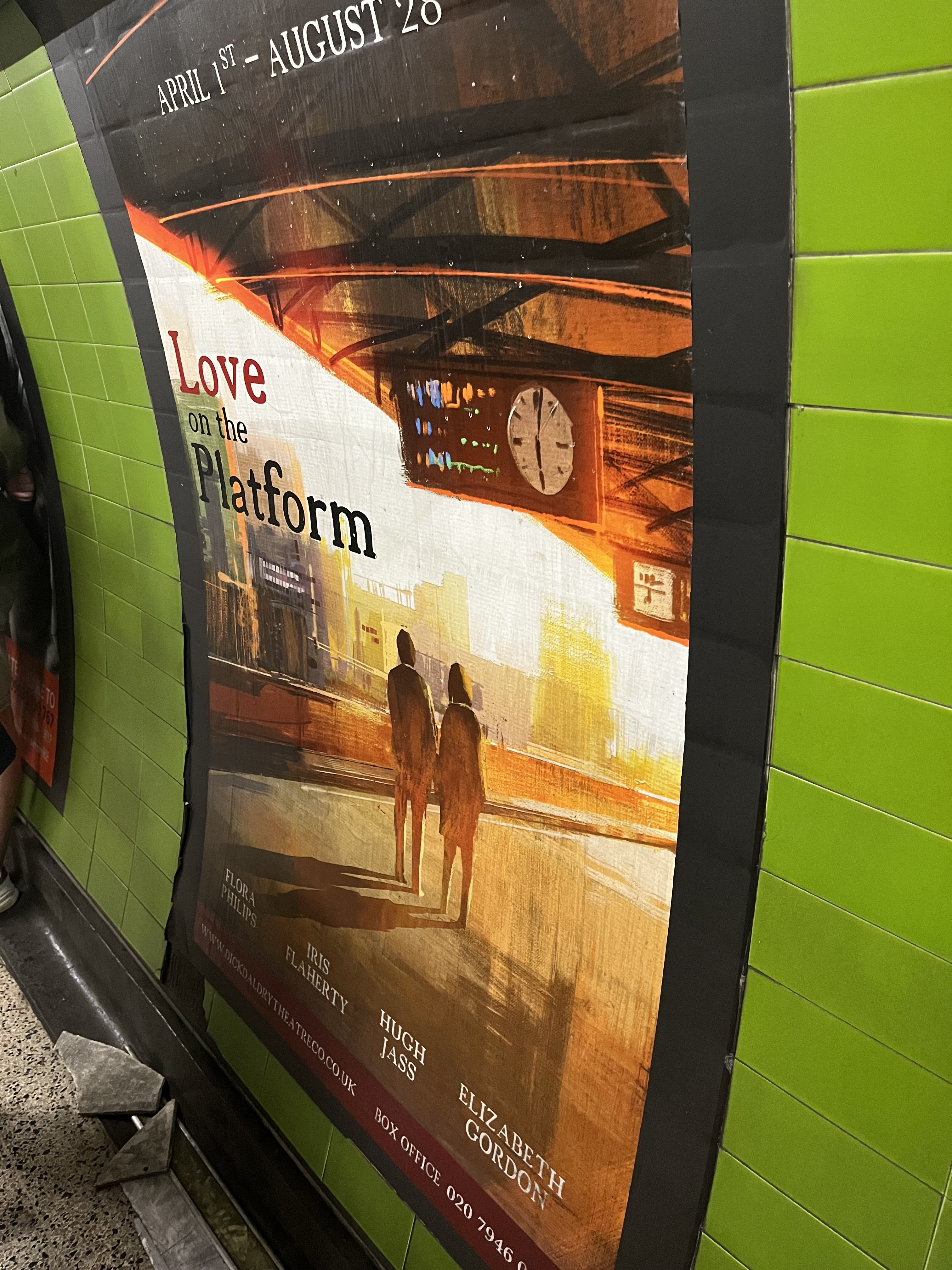
The platform looks perfectly ordinary, except all the posters are fake – at a glance they look fairly normal but there are clues in the details.
Fake poster for “Love on the Platform”. The clue is in the cast list!
The next stop was to a different part of the station to see how the Jubilee Line was built. There is a long construction tunnel which runs all the way under Trafalgar Square to the construction site which is now the Sainsbury Wing of the National Gallery. Spoil from the tunnels was transported via carts and extracted from here – enough to fill hundreds of Olympic sized swimming pools. Because of the proximity to the foundations for Nelson’s Column the tunnel had to be built in a curve so as not to cause any movement. We were shown how many of the metal panels lining the tunnel were left over from the Victoria Line which was built in the previous decade. None of these underground spaces go unused, and the tunnel is now used to store spare equipment and material for making repairs.
A view along the construction tunnel, the curve showing we are close to the foundations for Nelson’s Column.
The final section of the tour was to look at the ventilation shafts. It seems utterly mad that ventilation was not really thought of when the original tube lines were built. One thing which the Jubilee Line brought was dedicated ventilation tunnels to all the lines at the stations it passed through. We were shown where the exhaust air was released from a rather unassuming building just around the corner from Charing Cross mainline station. At the other end we were shown where the vents were placed above the Northern Line platform, and we could watch trains pull in and the doors open and close. Again, you can see James Bond running through some of this during Skyfall.
Mind the gap!
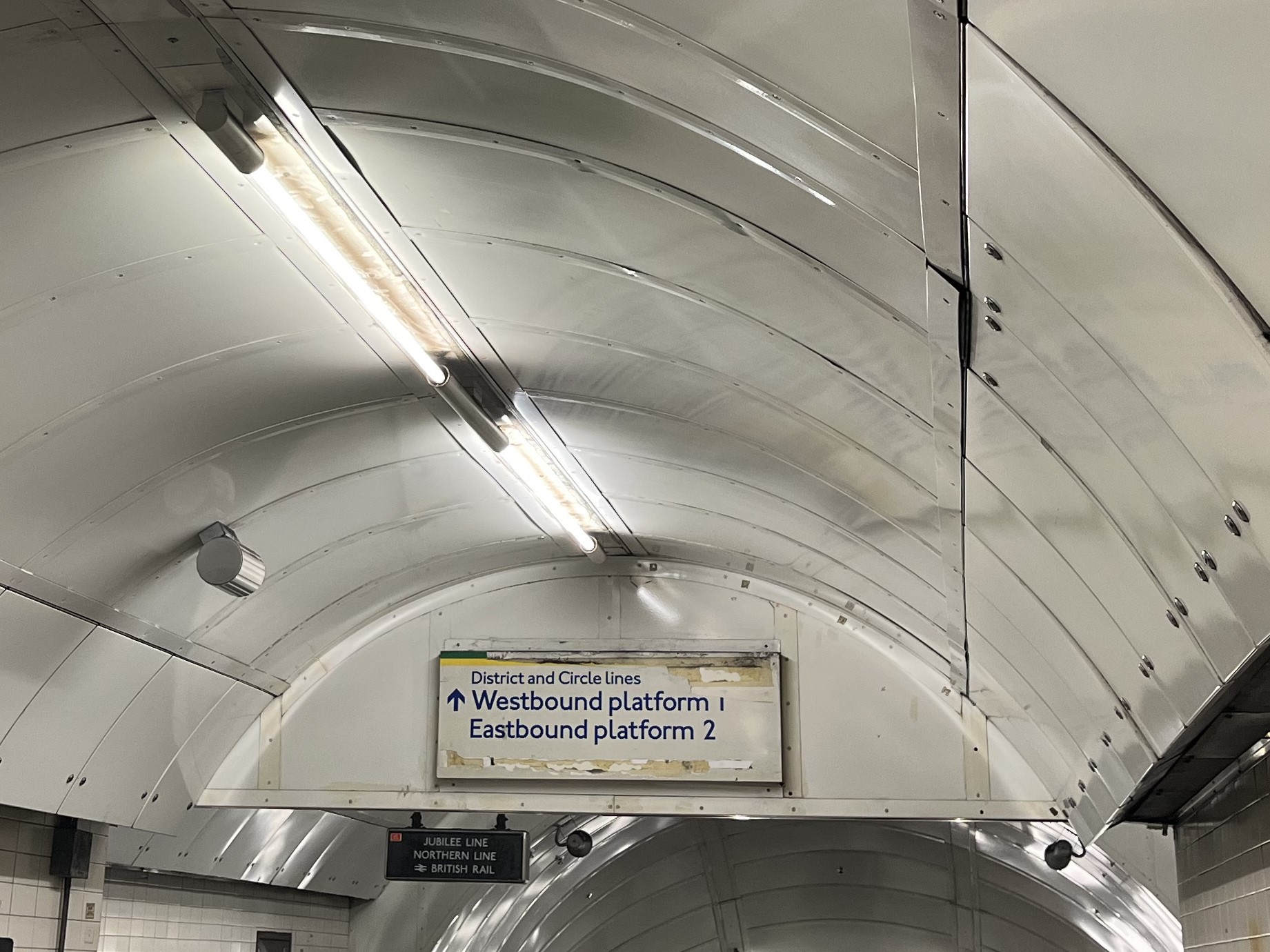
Filming in the station must have been fascinating to watch, they had to bring down hundreds of extras, some of the heavy equipment had to be brought in via train. Skyfall was filmed here over 5 months and the result is about 10 minutes of the film. There are a few clues left behind, including a fake District and Circle Line sign and removal of the “Toblerones” between the escalators to allow Javier Bardem and Daniel Craig to slide down them.
Fake sign added for Skyfall. Unfortunately they forgot to cover up the original 1970s sign for the Jubilee Line and mainline stations which is just behind.
There can’t be many days out which combine history, trains, geology, civil engineering and behind-the-scenes film tours. If you are interested in one or more of these I would highly recommend the tours as something a bit out of the ordinary to do in London!
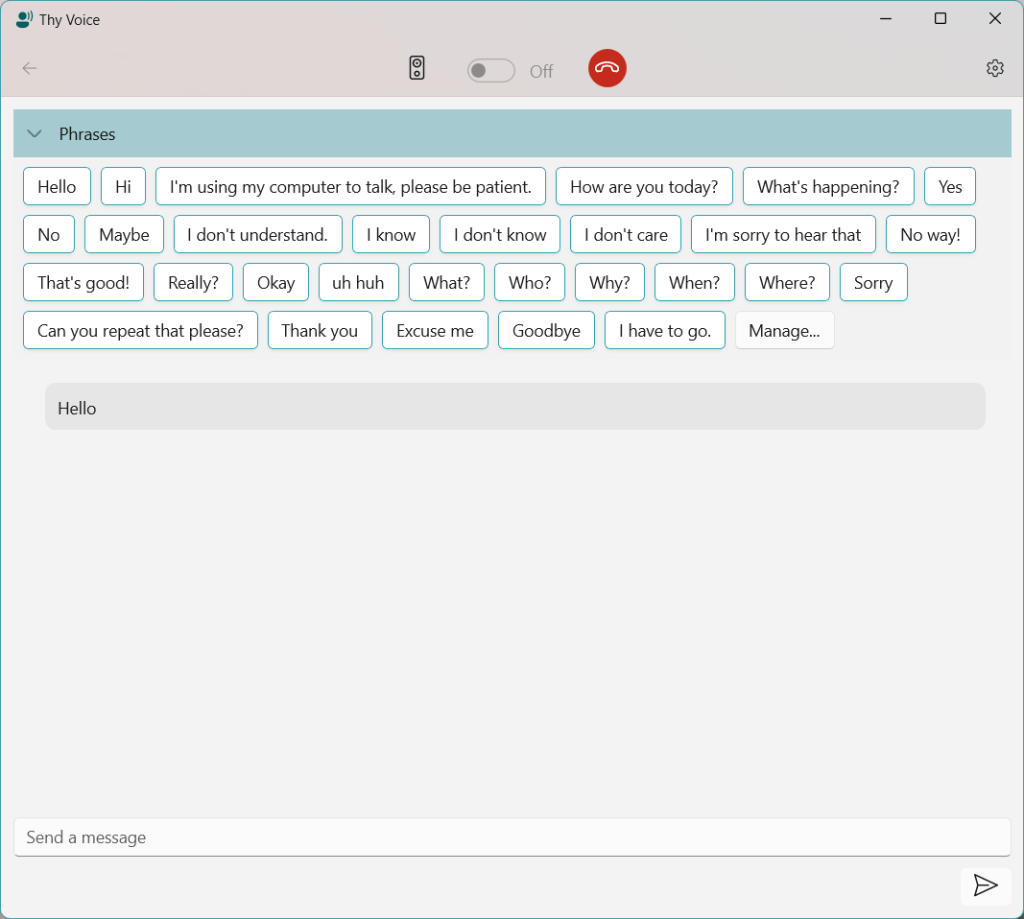
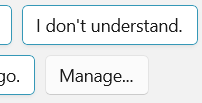
In my current Thy Voice app for Windows 11, I wanted to keep the regular Fluent style for controls so that the UI was instantly familiar but I needed to make some changes to differentiate the stored phrases. These are represented by a collection of variable sized buttons, and designed to function like suggested replies in a chat app. I looked at some examples and in Microsoft Teams they have white backgrounds (in light theme) with an accent colour border. However they retain a fluent style with rounded corners and subtle shadows.
This is where I discovered something which may not be obvious to everyone building with WinUI 3.0, there is a big difference between these two declarations:-
With the former, you’ll notice the appearance of the button changes subtly – it no longer has a corner radius and will look odd against other buttons using the default style. Therefore to maintain a consistent look you need to consider either deriving your custom style from the WinUI DefaultButtonStyle and then just making the necessary changes, or applying more customisation in your own custom style.
For my SuggestedReplyButton, I needed a white background, but it had to be theme aware so it can’t be hard-coded to white. The following is a working implementation of the style which looks like other examples of suggested text snippets to insert into a conversation. I guess this is the logic for the different colour scheme – these buttons are part way between a button and a filled textbox to show the kind of action they perform.
ControlCornerRadius appears to be 4 logical pixels, but you don’t have to worry as it will match the rest of the style if you use the resource value.
You’ll see that I’ve assigned a ThemeShadow to the button, however on its own this won’t draw a shadow because this depends on the control having a separation from its background in the z-axis. In my control this is set in code by applying a vector to the button’s Translation property:-
Translation = new System.Numerics.Vector3(0,0,8)
In this case 8 logical pixels which provides a really subtle depth effect. The result is somewhat similar to Microsoft Teams and sits nicely against a standard button.
You can find out more about Thy Voice here. If you are looking for an experienced Windows developer, I am available for contract work so please do get in touch.
This week I’m launching a new app into the Microsoft Store. Following on from my experiences with enabling hands-free calling in Windows 10/11 for devices not supported by Microsoft’s own Phone Link app, I’ve been exploring this area further.
I’d been interested in how the hands-free audio integrates into Windows and discovered how to utilise it to deliver audio to the remote phone. After reading about the Live Speech feature coming in iOS 17, I thought it would be interesting to bring this functionality to Windows. The resulting app, Thy Voice, allows you to participate in a voice call from your PC and use text to talk when you might not be able to use your own voice. There are many reasons why a user might not be able to use their voice, either temporarily or permanently and it seemed to me that if available on the PC it would be easier to converse via text than using the iPhone soft-keyboard. These types of tool are known as Augmentative and Alternative Communication(AAC).
The user interface is WinUI 3.0 and designed to match the modern look of Windows 11, rather like the messaging feature in Phone Link or a Teams chat. As well as supporting live text entry you can create a collection of reusable phrases to speed up entry. Some examples are pre-loaded in the beginning based on some existing common messages for AAC users.
Since only one app can be registered to use a specific hands-free device, I didn’t want to reinvent the wheel and break existing Phone Link features so Thy Voice sits alongside your existing phone software (Phone Link or Thy Phone) and can detect when a call is active. You make and receive calls through your existing app, you can decide whether to use Thy Voice to conduct the call via text.
There are many possible enhancements, such as supporting other languages and allowing the voice to be set separately from the default Windows settings. I decided it was better to get the basic application launched and then grow it based on feedback. Talking of which, I’d be very interested in any feedback on the app, whether or not you are an existing AAC user. It’s always good to understand different perspectives and use-cases.





 In The Hand Ltd