Category: Bluetooth

  • IOBluetooth for .NET Refreshed

    Some time ago, I embarked on a binding library for the macOS IOBluetooth framework. This provides functionality for classic Bluetooth, Hands-free and Object Exchange functionality. It was built for Xamarin Mac and needed a big overhaul to support newer .NET versions.

    Today I’ve release a pre-release package for version 1.2. This is build with .NET 9.0 and 10.0. It has gone through a number of changes, to improve the API and its documentation. It is not complete, and there may be further renaming required which is why I’ve marked this release as a preview. At the moment the hands-free and Obex functionality are largely untested.

    Generally all elements are renamed to follow .NET conventions. Like the in-box .NET framework wrappers the class names have the IOBluetooth prefix stripped and all sit in the IOBluetooth namespace. The only exception is IOBluetoothDevice is called BluetoothDevice because Device seemed a bit too generic.

    I’ve now completed a definition of the IOReturn enumeration which represents all the possible return values from various low-level API calls. IOBluetooth uses these on a number of methods and delegates so this makes it easier to identify meaningful error codes rather than the raw numbers.

    There is also the IOBluetoothUI companion library for a UI device picker etc.

    I’m always open to suggestions so please get involved in the GitHub project if you have feedback/suggestions/issues.

  • 32feet – Bluetooth LE Device Discovery on iOS

    When I created the InTheHand.BluetoothLE library I modeled the API on WebBluetooth as this gave a simple API surface but as it was designed to run within a browser sandbox some of the functionality is intentionally limited. For device discovery the API only provides a selection dialog. One of the most requested features early-on was the ability to do device discovery in code so that the results could be displayed directly in your own app UI.

    Unfortunately iOS was late to get this functionality but it has now been incorporated into the latest version on NuGet (4.0.41). You can optionally apply filters to restrict the results by Bluetooth service UUID, name or just a name prefix.

    The release contains a number of bug fixes and we’ve had some great community contributions across Windows and Linux – thanks to GitHub users Yeti47, cogree, InvisiblePhil and h2oboi89!

  • Asking for Permission

    Asking for Permission

    I’ve been asked a number of times about the process to ask for Bluetooth permission for your app. I’ve been meaning to create something reusable for some time but it has languished on the To Do list for rather too long. I recently noticed that as of .NET 8.0, MAUI will incorporate a Bluetooth permission which simplifies the process for asking for permission in your app in a clean cross-platform way.

    I used this as an opportunity to refactor the library that I had started so I could create the same pattern for Xamarin Forms and .NET MAUI 7.0 so you can get started with it now and then switch to the in-box equivalent when you update your code. You can request permission with a single line of code:

    PermissionStatus status = await Permissions.RequestAsync<InTheHand.Bluetooth.Permissions.Bluetooth>();

    Today InTheHand.Bluetooth.Permissions went live on NuGet and the source is part of the existing 32feet.NET project. You can use this with either the Bluetooth Classic or Bluetooth LE libraries.

    It provides a simple way to request permission, which on some platforms won’t do anything noticeable but on others, such as Android, it will correctly prompt for permission as long as you’ve set up your manifest correctly.

  • Buffered Streams and the Courtesy Flush

    One of the challenges with 32feet.NET is to try to provide as consistent an experience as possible on multiple platforms even though the underlying implementation varies wildly. One such case is with Bluetooth Classic and the stream used to read and write data over an RFCOMM connection.

    As it turns out each platform has its own way of implementing these connections, either using Berkeley sockets (Win32 and Linux), BluetoothSocket (Android), ExternalAccessory framework (iOS) or IOBluetooth (macOS). Because there is a level of abstraction even within these native APIs (not including anything 32feet is doing to hide the implementation) what you get when you want to just write to a stream is not at all the same.

    One place this becomes clear is when writing an app to talk between multiple platforms e.g. Windows and Android because it soon becomes clear that you’re writing data and not seeing it on the remote device. This is because on Windows the stream is internally buffered and so simply writing data to it doesn’t actually send it over the air to the other device. Either you have to hit a specific buffer level where it will have to send it, or you must call Flush (or FlushAsync) to ensure the buffer is emptied. This doesn’t necessarily mean that you should call flush with each write to the stream, but if you are building a packet containing a chunk of data you probably want to ensure this is flushed so that the receiving device can process it together.

    Trial and error shows that the Android side of things doesn’t do this and a write is a write. However, knowing what we know about all the many versions and flavours of Android OS it’s probably best not to assume this is always the case. If the stream has no buffer, or the buffer is already empty then a well placed Flush will not have a measurable impact. Therefore I recommend always adding code to flush data, regardless of what platforms you intend to support so you can ensure it will behave consistently across any platform.

  • Reinventing the Wheel Again – Bluetooth on Linux

    Reinventing the Wheel Again – Bluetooth on Linux

    Sometimes it takes a while to realise that an API is lying to you. When implementing Bluetooth Classic support for Linux on .NET 6.0 and above I came to this realisation after going directly to the native API.

    System.Net.Sockets has been available since the beginning of .NET. Traditionally this was a wrapper over the WinSock API which called into the same Win32 APIs you would use from C++, but providing an object-oriented API and throwing typed exceptions for native error codes. To use Bluetooth sockets on Windows or Linux you create a Socket with a specific AddressFamily. The Bluetooth address families have never been defined in .NET but 32feet.NET has provided implementations of these constants and classes to allow you to use Sockets for Bluetooth Rfcomm connections. The values and structures differ depending on platform and the library was able to hide those details from the consuming code.

    Creating a Socket with AF_BLUETOOTH on Linux would throw an exception indicating the address family was not supported. This seemed wrong as the BlueZ API is present on the device (in this case a Raspberry Pi running Raspberry Pi OS). So the first step was to talk to the organ grinder rather than the monkey – P/Invoking into the socket API in libc would give the true answer. Lo and behold the function returned a valid socket handle, not an error code.

    This is where we get to reinventing the wheel. I first encountered a similar issue when getting the library to work on Mono on Windows – to support Unity based projects. It terms out that the Mono Socket was similarly hobbled and I could get around this limitation by recreating the entire Socket class with the underlying Win32 API calls. Having had that eureka moment I was able to reuse the basics of that implementation (The Win32Socket in 32feet.NET) with a new LinuxSocket class. Because Windows Sockets is based on the same Berkeley Sockets model that Unix uses the APIs are more or less identical except for the library name. Therefore it didn’t take too long to implement a working BluetoothClient. I haven’t worked on the BluetoothListener for Linux yet, but I don’t imagine it too be too difficult after having learned all of the above via a lot of trial and error and slow remote debugging!

    Next Steps

    I’m now going to complete the testing and add the Listener support. In the future I hope that the .NET Socket support is improved to remove the current limitation. I would expect the API to accept any Address Family and pass any errors through in the standard way rather than being limited to a subset of address families.

    I’m not proposing that Microsoft adds any Bluetooth support into the the framework itself, but it should allow others to access available functionality through the underlying APIs, in the same way that we can on Windows. There is an open issue in the .NET Runtime tracking this, which I will be keeping an eye on.

    If there are specific features you’d like to see added to the library or you have an issue integrating a particular device please do get in touch. All of this development work is just me working in my spare time, so if you can support the project through GitHub Sponsors or OpenCollective that would be awesome. I can also provide formal support arrangements or custom development, contact me for details.

  • Bluetooth Classic and Low Energy – Different Approaches

    I often get asked about the different ways of using Bluetooth Classic and Bluetooth Low Energy with 32feet.NET. This post looks at the two different approaches and a bit of historical context.

    Separate Libraries

    The first key point here is that Bluetooth Classic and LE are handled by two different NuGet packages. 32feet.NET originated as a single dll which contained Bluetooth Classic, IrDA and Object Exchange (OBEX) functionality. As there was a lot of overlap this made sense but over time this became more unwieldy and many users wouldn’t necessarily use all the functionality. When I re-wrote it for Version 4.x I split these libraries up. InTheHand.Net.IrDA is still maintained but, as you can image, with a very small user base. Obex is handled by InTheHand.Net.Obex which can perform obex operations over Bluetooth, IrDA or TCP/IP. InTheHand.Net.Bluetooth contains all the Bluetooth Classic functionality.

    Classic Bluetooth

    Bluetooth was implemented, from Windows XP Service Pack 2, as a set of extensions to the Windows Sockets API (winsock) and some utility methods to control the radio and device information. The design of BluetoothClient, the main entry point to a Bluetooth classic connection, is based on TcpClient and IrDAClient from the Windows CE days. At the time of .NET 2.0 all the APIs were synchronous and the library was only cross-platform to the extent of supporting Windows desktop and Windows CE. As .NET has evolved it has taken advantage of some “free” upgrades to the System.Net.Sockets functionality which now includes full async/await support. There is still some work to do to asyncify some of the other APIs. The library now supports multiple platforms but with a common API. The key part was to emphasise Streams rather than the underlying Sockets because other platforms don’t use .NET Sockets.

    Going Low

    Bluetooth LE presents some different issues – again at the time there was already a range of potential platforms including Xamarin’s iOS, Android and Mac support. Rather than extend the classic library the Bluetooth LE support was built from scratch and modelled around the WebBluetooth API which was in a fairly stable state and supported on most browsers (not Safari though – boo!). The big difference with the Web* APIs is they put the user in full control and so the user has to pick a device themselves and consent to access. Because on a mobile app you are generally consenting to Bluetooth permissions on a per-app, rather than per-device, basis some of the process here is simplified. As I was aware that not all developers want to present a standard picker to the user I added a programmatic way to return discovered devices so that you can build your own UI around it. This is not implemented in iOS yet but is on my To-do list.

    Missing Parts

    The other big thing about using WebBluetooth as a model is there isn’t any peripheral support (exposing your own services to other devices). This is something I wanted to spend a bit more time designing and getting right. There is also no capability to set the radio on or off. If the platform supports this (and of course not all do) you can use a combination of the classic library to control the BluetoothRadio and then InTheHand.BluetoothLE for everything else. What you can’t do is use the InTheHand.Net.Bluetooth library to discover low energy devices. Even when devices are dual mode the effectively have a different address for both and so you can’t use this and then try to make a low energy connection later.

    A quirk with the classic library is that on Windows there are two APIs. The original winsock API and the newer Windows 10 API. Depending on the flavour you get served from the NuGet package, which is driven by your project target, you may get one or the other. There are currently a few quirks in the Windows 10 API used for discovery if you want it to timeout quickly. Also specialist devices like Hololens don’t have the legacy winsock API but if you’re targeting Unity, which uses Mono, it’ll pick the .NET 4.6.1 dll which is using the legacy API.

    Next Steps

    InTheHand.Net.Bluetooth is quite stable and I don’t plan on making big changes to it. The key demands have been better async support where relevant, extending support to macOS and Linux and access to raw Service Discovery Protocol (SDP) records where the underlying platform supports it.

    There is lots still to do on all the libraries and it’s a constantly moving field of .NET versions, platforms and Bluetooth updates. If you would like to get involved the GitHub project could definitely do with additional hands.

  • Phones and Windows 11 – June 2023 Update

    Phones and Windows 11 – June 2023 Update

    Microsoft recently released their update to Phone Link to fully support iPhones on Windows 11. This means that for the best experience of using your iPhone you should switch to using Phone Link on Windows 11. Phone Link supports messaging, has more advanced notification support and sync call history.

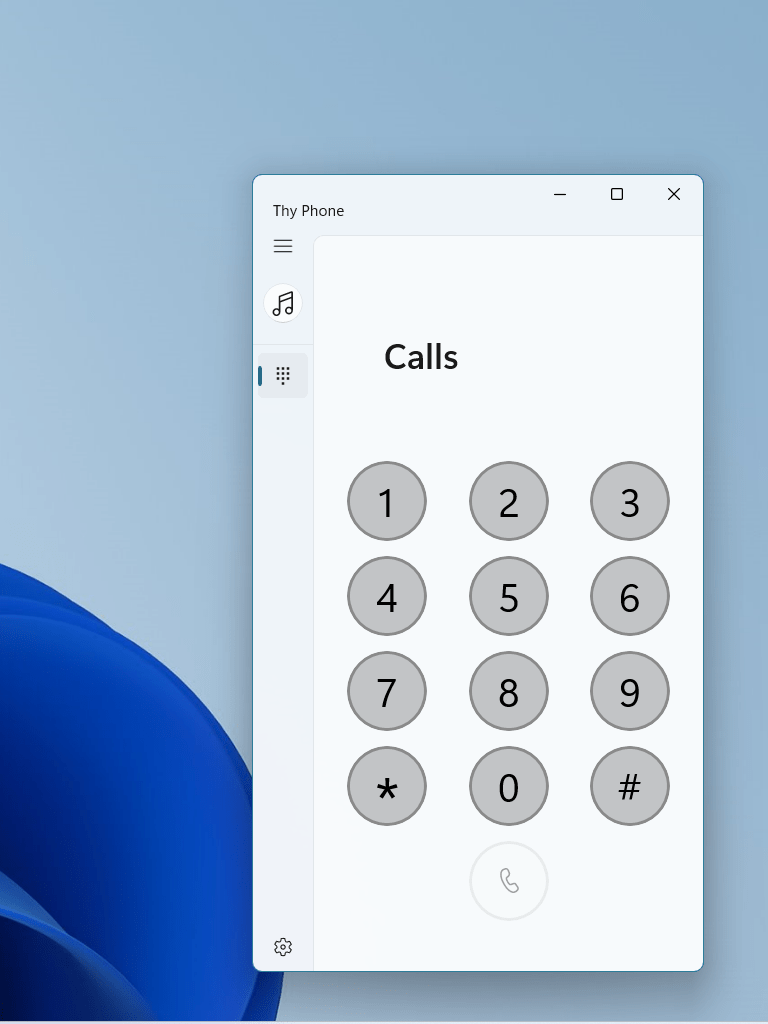
    For everything else (not everyone uses Android or iPhone), then Thy Phone still supports hands-free calling and audio sharing on any other Bluetooth Handsfree capable device. This includes Nokia feature phones, Windows Phone, Blackberry and much more. To focus on this specific scenario our latest update for Windows 11 has a simplified UI to provide this core functionality. I’m still trying to work out how to access the elusive battery level which handsfree devices expose (you can see this in the Settings app).

    For users on Windows 10, the original app is still available and also supports iPhone notifications and battery level. Some of the code used to support these Apple features will be made available as a companion library to the Bluetooth LE library in 32feet.NET.

  • Pi Day

    I’d completely forgotten about Pi day until I saw someone post about it online and I thought I should write about the happy coincidence that I’ve been working with a Raspberry Pi today.

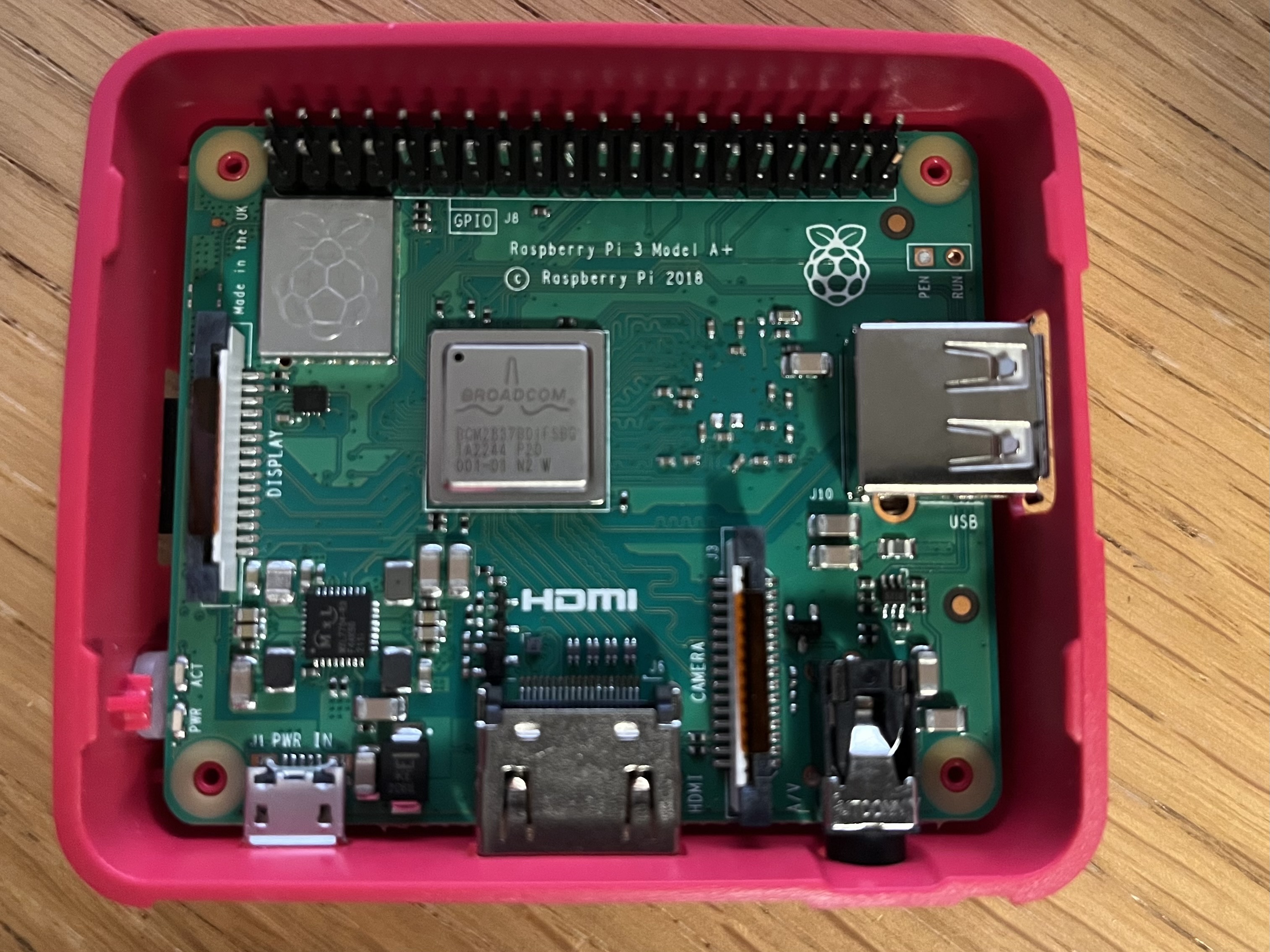
    Raspberry Pi 3 A+ board inside opened enclosure.

    Last week I took delivery of a new Raspberry Pi. I have an older Pi 2 but I wanted to have a newer unit to allow me to develop 32feet.NET for Linux and the Raspberry Pi is a compact and simple device to setup for this purpose. There are still supply issues with the latest models but I was able to get a Raspberry Pi 3A+. The A is a shrunken form factor which is ridiculously small but only has one USB socket. I bought a kit from Pi Hut which included a power supply and case. I invested in the Raspberry Pi keyboard at the same time as this has a built in USB hub so that you can daisy-chain in a mouse and other peripherals. Because it has built in Wi-Fi the only other thing I had to plug in was an HDMI cable to a spare display. The Raspberry Pi 3 and 4 both have a built in Bluetooth adapter and both can run the ARM64 builds of Raspberry Pi OS.

    Setting up the microSD card was straight-forward as long as you don’t pick the default Raspberry Pi OS image (which is 32-bit) and get the 64bit one. BlueZ, the official Bluetooth stack for Linux, is already included so the Bluetooth works out of the box. I needed to install the .NET SDK, enable SSH and then I was able to debug remotely from Visual Studio.

    The process is not quite as slick as remote debugging an Android or iOS app. You have to build your code, then you need to deploy it to the Pi. To do this I used scp (Secure Copy). There is a process to follow to setup an SSH key and copy it to the Pi so that you don’t have to authenticate with a password to connect via SSH and this applies to scp too. The scp command lets you copy one or more files from the host PC to a directory on the Pi (you’ll want to create a directory on the Pi to run your new app from). You can also download files in the other direction if you need to get data back from the Pi after running the app.

    Now you have the app deployed you can use the command line on the Pi to run the app using the dotnet command e.g.

    dotnet MyApplication.dll

    What I did was start the program off and wait for input, to give me time to connect the debugger then I can continue when ready. It’s just a straight-forward console app.

    Console.WriteLine("Hello World!");
    var inputString = Console.ReadLine();

    For debugging from Visual Studio you go to Debug > Attach to process… Select SSH as the connection type and enter or find your Raspberry Pi device – the format is the SSH login of user@hostname. When you’ve connected you’ll see a list of processes running on the remote device and you should see one which begins “dotnet”. Click Attach and wait for the debugger to attach, setup breakpoints and load symbols. Once the activity dies down in the Output window you can type any text into the Pi command line and press enter and let the magic begin.

    I’ve started by incorporating Linux.Bluetooth (previously known as Plugin.BlueZ) as this wraps most of the required Bluetooth LE functionality from the underlying DBus API. As I delve more into this I’ve had to poke around in DBus itself using Tmds.DBus. There is a useful study guide at the Bluetooth SIG which shows how it all works. Hopefully soon I’ll have the Linux support ready in preview form and it can be tested on other devices. Please get in touch through GitHub if you’d like to help out.

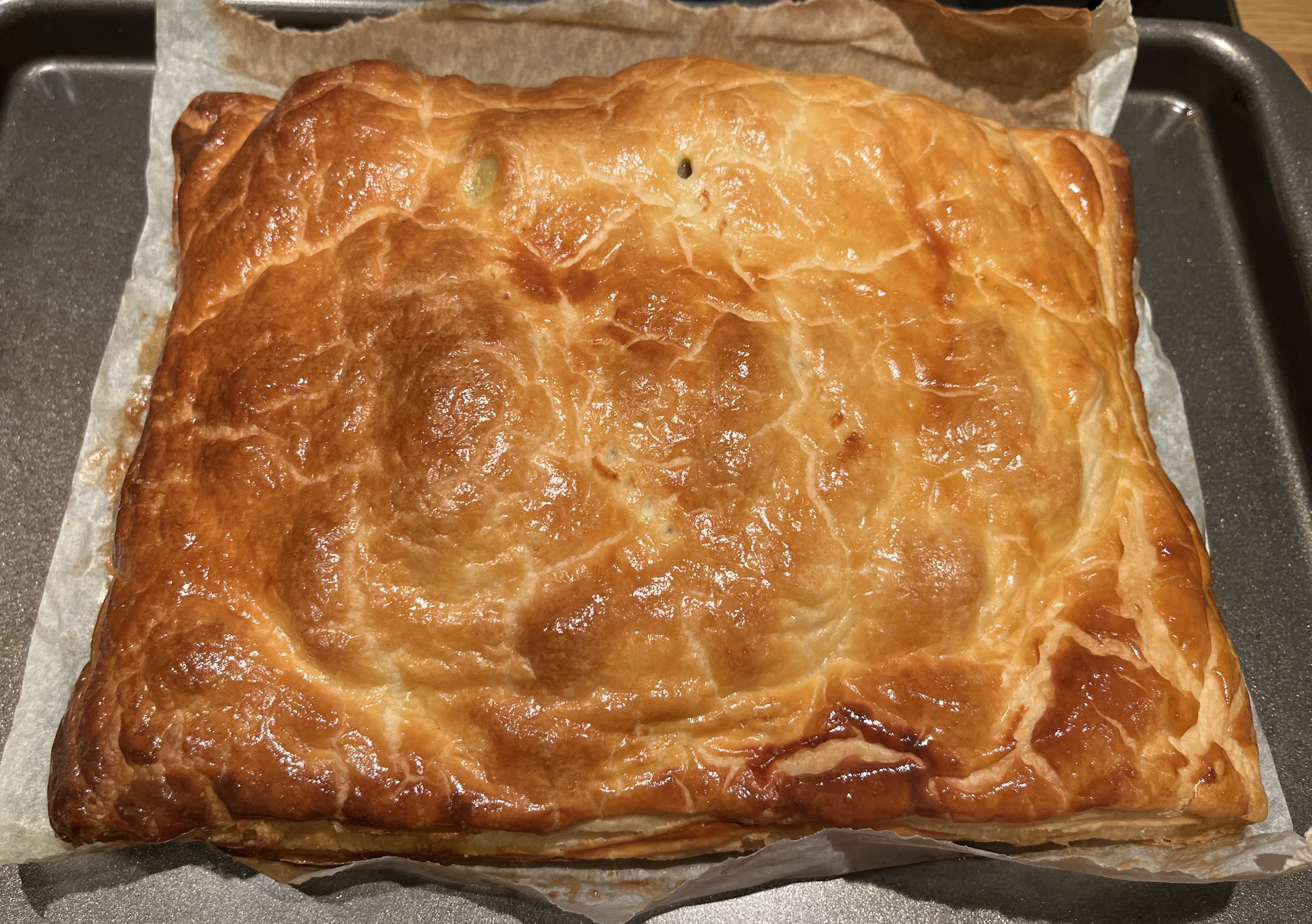
    Oh, and coincidence number 2? I’d already planned to make a Pie for dinner tonight before realising the date – Yummy!

  • Bluetooth Support for Android on More Frameworks

    There is a particular issue when writing any code which will run on Android which presents external UI through an Intent or uses broadcasts in that you need to have a reference to the current Activity. I covered this in my last post.

    Following on from that I moved the code to a new library (since it is required in both the Bluetooth Classic and Bluetooth LE libraries). It now provides a simple API which you can use to determine the current Activity without adding any framework dependencies.

    InTheHand.AndroidActivity.CurrentActivity

    The code can determine this on Xamarin Forms, .NET MAUI and Uno Platform. I haven’t figured out if there is a clean way to do this on Avalonia yet but there is a simple workaround for everything currently unsupported – including if you want to use the libraries from “native” Xamarin Android or .NET 6.0 Android and beyond.

    Every Android project contains a main Activity. For an Avalonia mobile app this is in MainActivity.cs and is an empty class derived from AvaloniaMainActivity. Simply override the OnCreate method like so:-

    protected override void OnCreate(Bundle savedInstanceState)
    {
       // provide reference to current activity
       InTheHand.AndroidActivity.CurrentActivity = this;
    
       base.OnCreate(savedInstanceState);
    }

    Note that to use Bluetooth you also need to add code to your activity to request permission but I’ve excluded this for clarity. So now InTheHand.Net.Bluetooth 4.0.34 and InTheHand.BluetoothLE 4.0.33 are fully supported on Avalonia or any native .NET projects.

    You can reuse this logic yourself using the InTheHand.AndroidActivity NuGet package. I’ll keep it updated to support any new or updated frameworks.

  • 12 Days of Bluetooth – #12 Summary

    Bluetooth is Big, Really Big

    Looking back over the different functionality I’ve covered in these past few posts has highlighted that Bluetooth is used for a wide range of scenarios, and it has grown massively from its simple beginnings.

    It is fair to say that looking at the evolution of each specification version that more emphasis has been placed on the Bluetooth Low Energy side. This makes a lot of sense because Bluetooth really excels in these situations where energy usage is low and the devices can be quite simple and narrow in functionality. We are surrounded by Bluetooth sensors, smart lights and beacons, let alone phones, PCs and headsets. With Bluetooth’s recent release of Auracast to enable broadcast audio over Low Energy we might see a move to more device types using new Low Energy services. On the development side, Bluetooth LE is widely support across platforms whereas there are limitations with Bluetooth Classic – such as iOS supporting only MFi certified devices.

    What Did We Just See?

    I realised part way through this series that I hadn’t planned out a table of contents to list all of the topics and so here is a reminder of all the posts in this series:-

    1. Introduction
    2. Discovery
    3. Protocols, Profiles and Services
    4. Serial Port Profile
    5. Coding Bluetooth Classic
    6. Bluetooth Classic on iOS
    7. Bluetooth Low Energy
    8. Bluetooth Low Energy in Code
    9. Pairing
    10. Hands-free
    11. Command and Control
    12. Summary (this post)

    There is still so much more that couldn’t fit into these posts so I plan to delve into so additional areas over the coming year on this blog.

    Next Steps

    Let me know if you have any feedback on 32feet.NET, the documentation, the samples or if there are any other topics you’d like me to take a more detailed look into. Probably the best way is to raise an issue in GitHub. Of course I’d welcome any contributions too, so pull requests would be gratefully received.

    Finally, throughout my career I have been connecting people to smart devices – mostly via .NET (Xamarin/MAUI/Uno) using Bluetooth, USB and other connectivity. This has allowed me to work with specialist medical devices, ensure the safety of field workers, ensure the roads get gritted and much more. If this sounds like the sort of problem I could solve for you in 2023 please get in touch and we can talk in more detail.