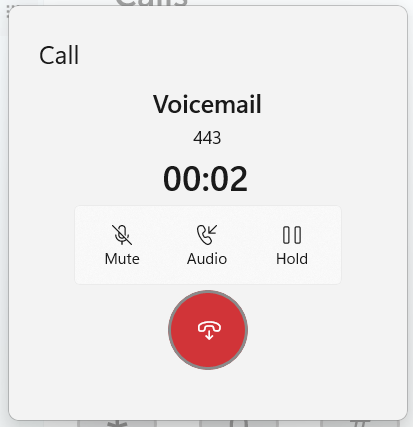
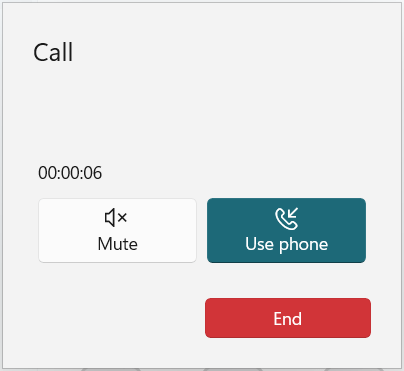
I finished the week off with another update to Thy Phone. This adds a new call progress dialog with features which didn’t make it into the last update along with a new Fluent design.
Fluent Design: Rounded corners, a bigger rounded end call button. Improved display of caller name (when available), number and duration counter.
New: New toggle to allow you to put calls on hold and resume them.
New: While there isn’t yet an on-screen keypad during calls you can now use your keyboard to send DTMF tones (0-9, * and #) to navigate menus during calls. This doesn’t currently play the tone on your PC, unlike Phone Link and Skype, but I’m working on this.
Today I’ve released an update to Thy Phone for Windows 11 which adds a community requested feature and implements a couple of bug fixes. Version 1.1.1002 will be available in the store soon.
New: You can now hang up a call by using the Ctrl-Alt-H keyboard shortcut. For simplicity, I chose this combination because it’s the same as used in Teams to end a call. You can also toggle the mute status of a call by using Alt-M.
Fixed: Answering or rejecting an incoming call from the toast notification should now always work so you don’t have to reach for your phone to do this.
Fixed: Outgoing calls will no longer generate a toast notification.
Minor: I’ve made a few minor UI tweaks. One of these was to change the Answer/ End Call accent colours to the same Green and Red colours used in other apps including Microsoft Teams and Occupied.
A month on from its original release, I’ve made a number of significant changes to improve the usability of the app.
Firstly the app is now a system-wide AAC tool, not just for phone calls but using local audio to conduct conversations in-person.
Secondly, I’ve added the ability to select the voice you use with Thy Voice. This is significant because you may wish to use a different voice when you are talking than when your PC is talking to you. I’m still looking into whether there is any chance we can use the Natural voices which are available with Narrator but don’t currently show up in the system for other apps using speech synthesis.
Finally, to emphasise its wider uses, the app has a new icon and a few other visual tweaks.
You can get the app through the Microsoft Store. I’m always interested in further feedback on how to make the app easier, and useful for as many users as possible.
This week I’m launching a new app into the Microsoft Store. Following on from my experiences with enabling hands-free calling in Windows 10/11 for devices not supported by Microsoft’s own Phone Link app, I’ve been exploring this area further.
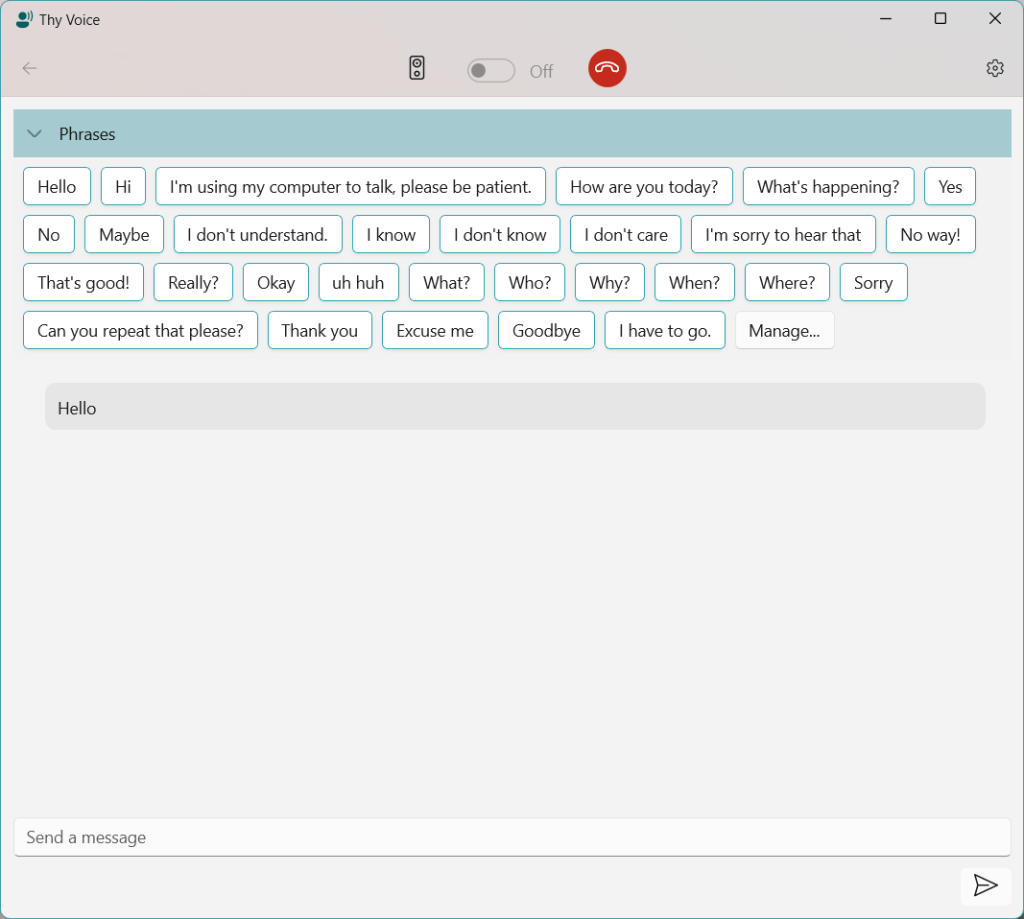
I’d been interested in how the hands-free audio integrates into Windows and discovered how to utilise it to deliver audio to the remote phone. After reading about the Live Speech feature coming in iOS 17, I thought it would be interesting to bring this functionality to Windows. The resulting app, Thy Voice, allows you to participate in a voice call from your PC and use text to talk when you might not be able to use your own voice. There are many reasons why a user might not be able to use their voice, either temporarily or permanently and it seemed to me that if available on the PC it would be easier to converse via text than using the iPhone soft-keyboard. These types of tool are known as Augmentative and Alternative Communication(AAC).
The user interface is WinUI 3.0 and designed to match the modern look of Windows 11, rather like the messaging feature in Phone Link or a Teams chat. As well as supporting live text entry you can create a collection of reusable phrases to speed up entry. Some examples are pre-loaded in the beginning based on some existing common messages for AAC users.
Since only one app can be registered to use a specific hands-free device, I didn’t want to reinvent the wheel and break existing Phone Link features so Thy Voice sits alongside your existing phone software (Phone Link or Thy Phone) and can detect when a call is active. You make and receive calls through your existing app, you can decide whether to use Thy Voice to conduct the call via text.
There are many possible enhancements, such as supporting other languages and allowing the voice to be set separately from the default Windows settings. I decided it was better to get the basic application launched and then grow it based on feedback. Talking of which, I’d be very interested in any feedback on the app, whether or not you are an existing AAC user. It’s always good to understand different perspectives and use-cases.
Today the latest app update went live in the Microsoft Store. This update adds a quick manual override to your busy status which you can trigger from the tray icon.
The app continues to evolve to help you manage your free/busy time and share your status with colleagues.
Since we have released a couple of updates for the application we have updated the Frequently Asked Questions for the Tasks application and moved them to a new location.
If you have any issue with the application or question this should be your first port of call. If your issue is not described here please send us an email with as much detail describing the issue as possible and we will work with you to resolve it.
Finally remember we do provide a Trial version of the application which lets you test whether the app works with your specific Exchange Server configuration.


 In The Hand Ltd